Table of Contents
Installation and Usage
- Print Control - SpiritWeb
- Label Design - Designer
- Label Printing - SpiritLabel
- Registration Code Authorization
- Membership Authorization
Development Manual
- JS API
- Dynamic Link Library
- REST API
- Third-party Website Integration
- Android Native SDK
- H5 APP
FAQ
How to obtain the printSpirit SDK certificate
1. Data preparation
APK package name
For AndroidStudio, please get the package name in build.gradle
apply plugin: 'com.android.application'

android {
    compileSdkVersion 30
    buildToolsVersion "30.0.0"

    defaultConfig {
        applicationId "cn.printspirt.spirt_exam"  <--- APP The package name is here
        minSdkVersion 16
        targetSdkVersion 30
        versionCode 1
        versionName "1.0"

        testInstrumentationRunner "androidx.test.runner.AndroidJUnitRunner"
    }
...
For Eclipse, please get the package name in AndroidManifest.xml
<?xml version="1.0" encoding="utf-8"?>
<manifest xmlns:android="http://schemas.android.com/apk/res/android"
    package="cn.printspirt.spirt_exam">   <--- APP The package name is here

    <application
...
APK signing certificate fingerprint
Command for debugging version: keytool -list -v -keystore path_to_debug.keystore
To release the version, please use the command: keytool -list -v -keystore path_to_app.keystore
Enter the password, the following interface is displayed
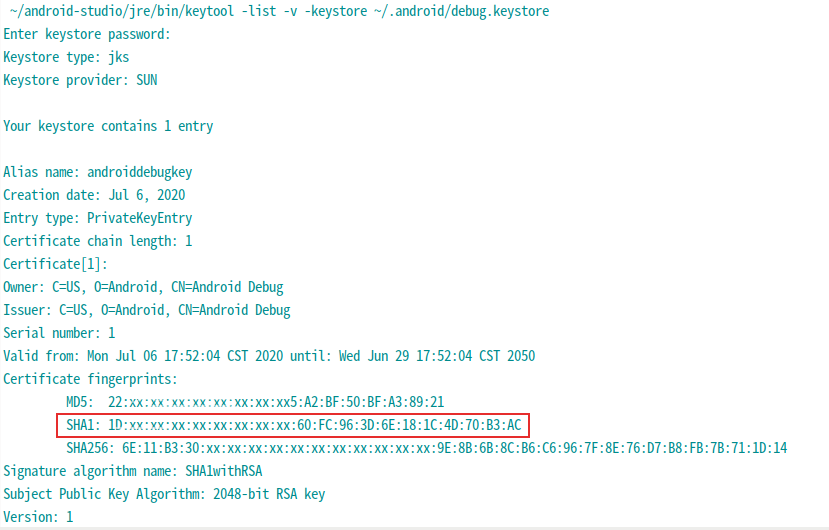
The general debug version keystore is in the .android directory (linux), the default password is android The keytool is in the bin of the JDK/JRE directory, please set the PATH variable correctly, or use the full path.
2. Obtain LICENSE_ID
Click on android_sdk after registering and logging in
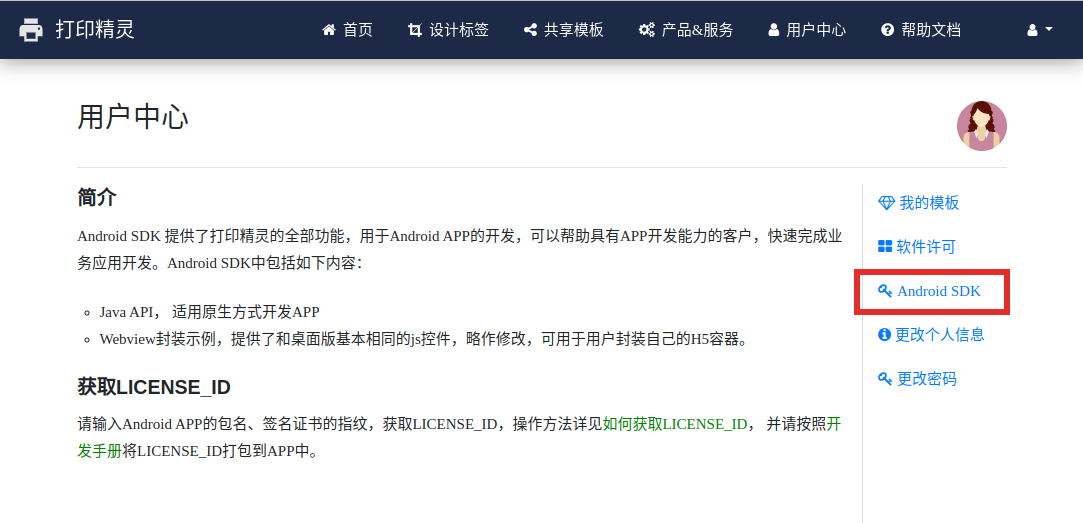
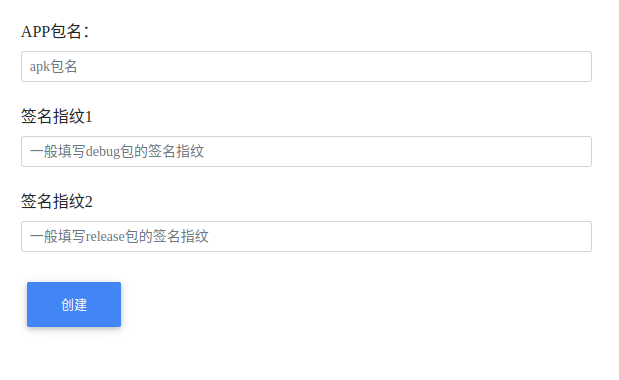
Enter the APK package name and signature certificate fingerprint prepared earlier in the position shown to obtain LICENSE_ID.
3. Configuration
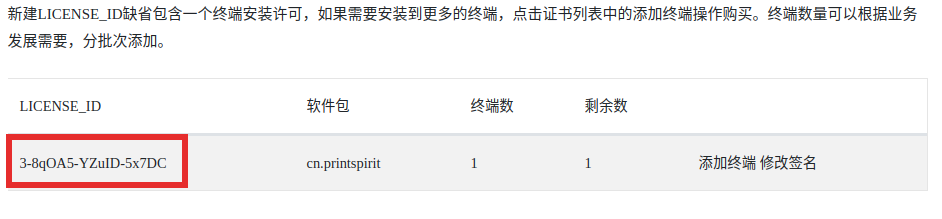
The part enclosed by the red box in the above figure is LICENSE_ID, and add the following content in AndroidManifest.xml:
<?xml version="1.0" encoding="utf-8"?>
<manifest xmlns:android="http://schemas.android.com/apk/res/android"  ...

   <application ...>
      ...
     <meta-data android:name="cn.printspirit.LICENSE_ID" android:value="your sdk license id" />
     ...
   </application>